

Golden Hour Portraits Made Easy with Continuous Light

Share

Golden hour portraits are known for their soft, warm, directional glow…but what if you don’t have access to that perfect sunset light? The good news: you can recreate it anywhere using continuous light and a bit of intentional setup.

In this post, we’ll break down a simple, effective approach to creating golden hour portraits with continuous light, even in a small, low-light indoor space.


Equipment Used:

Team:

Photographer: Sal Cincotta 

Model: Rebecca Kate

Makeup & Hair: Brandi Patton, ReFine Beauty

Why Use Continuous Light for Golden Hour Portraits?

Continuous lighting gives you full control over how your scene looks in real time. Unlike flash, you can see exactly how shadows and highlights fall before you press the shutter.

That makes it ideal for mimicking golden hour, where subtle shifts in warmth and direction make all the difference.

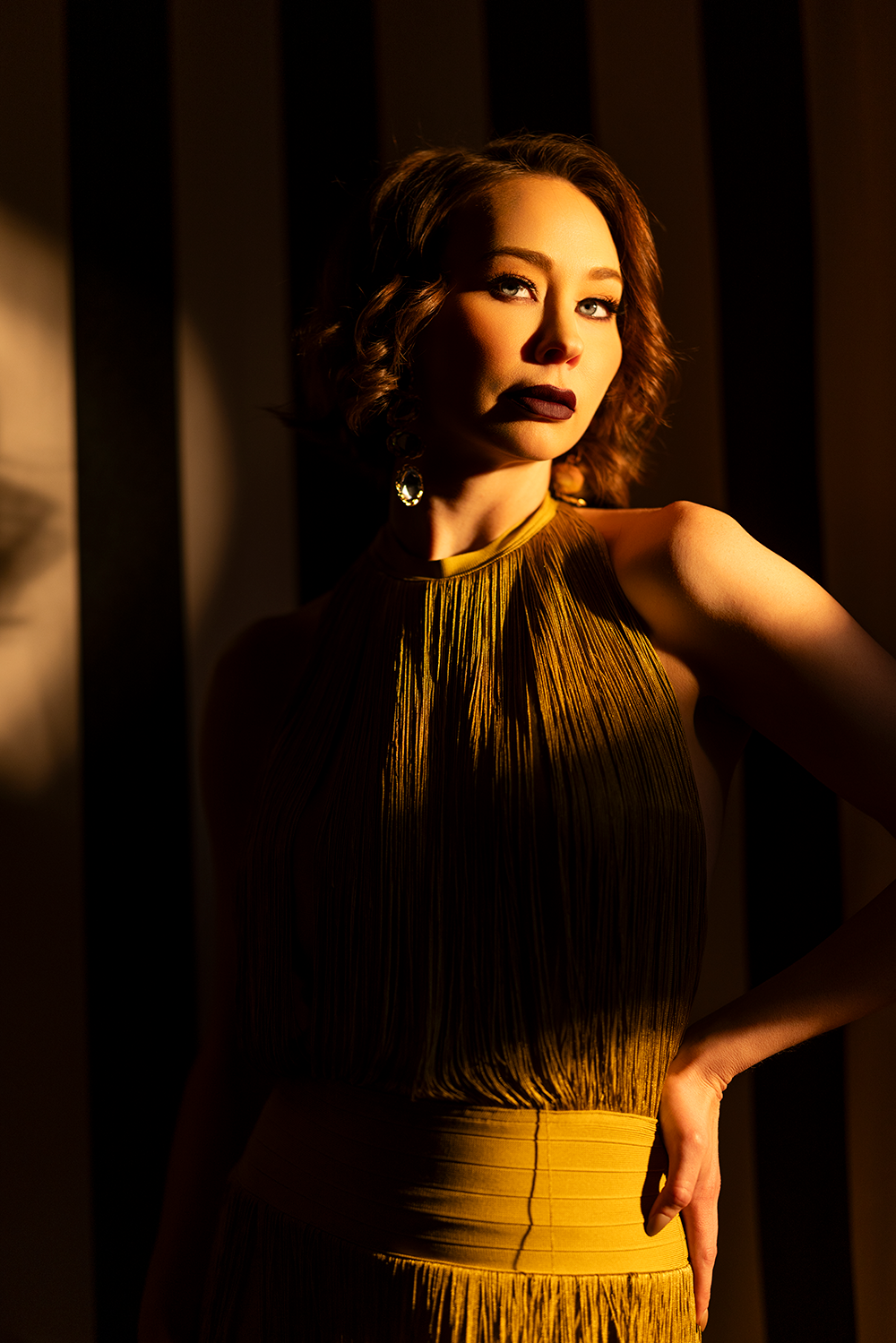
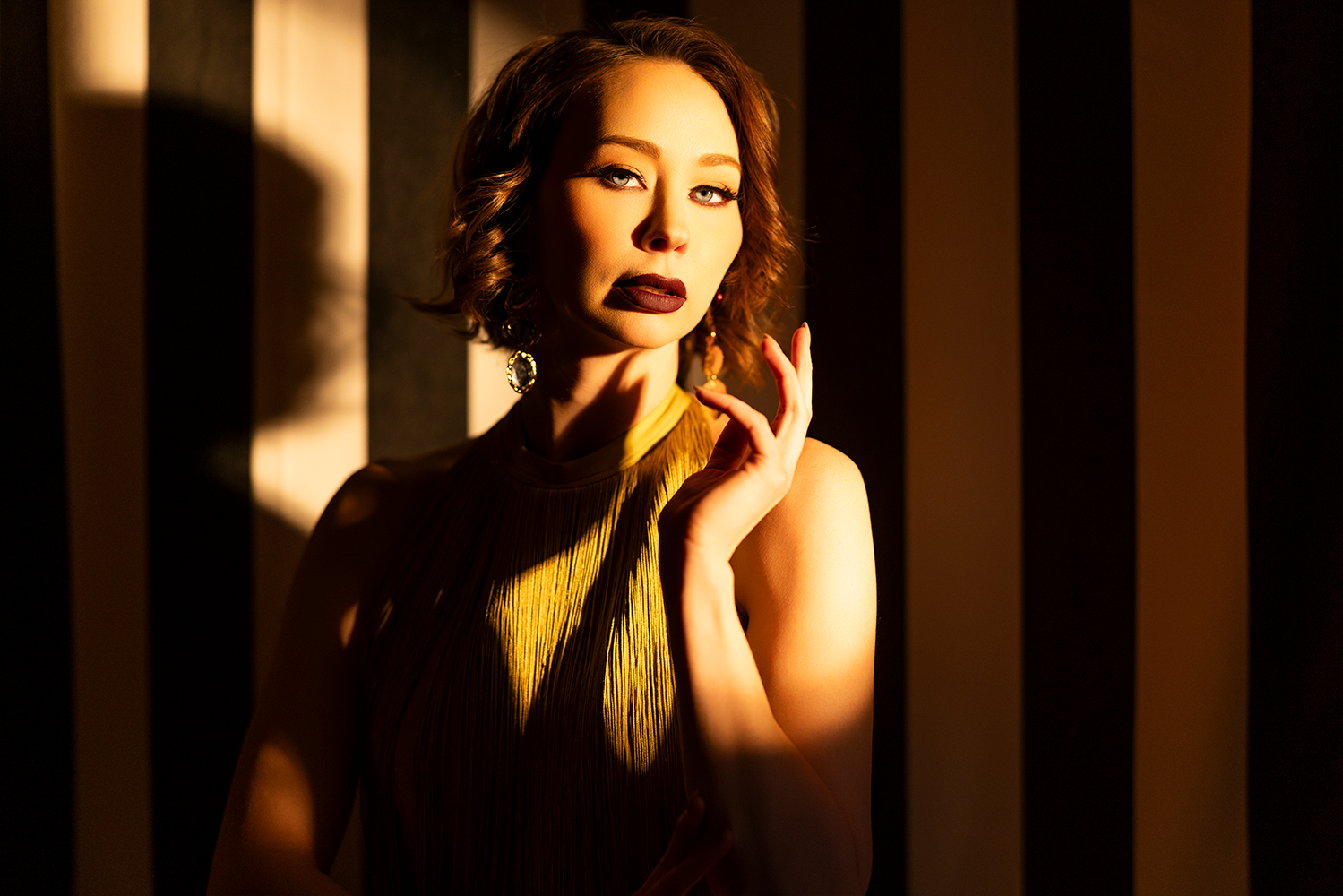
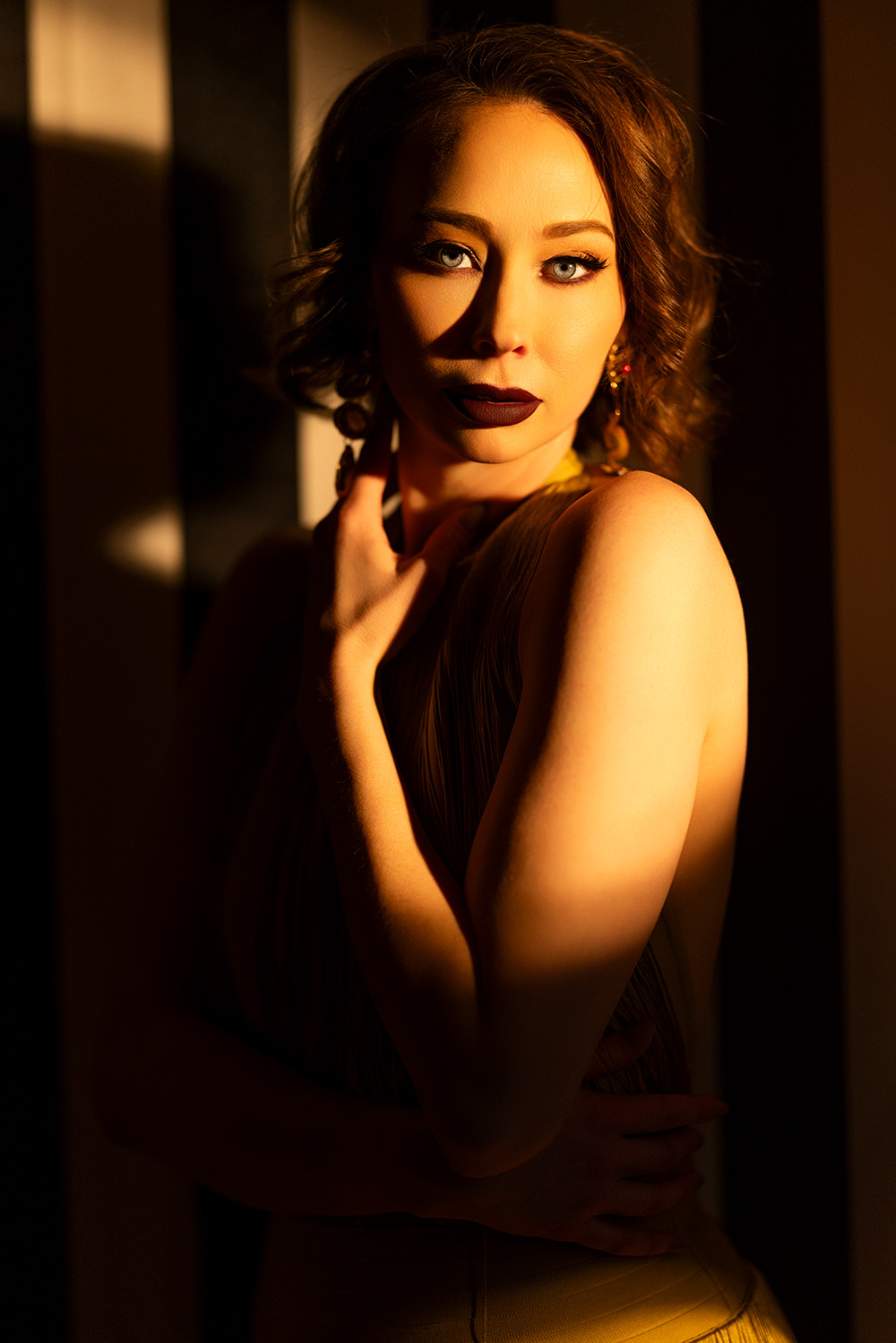
 f/1.2 @ 1/640, ISO 250

Transforming a Small Space with Light

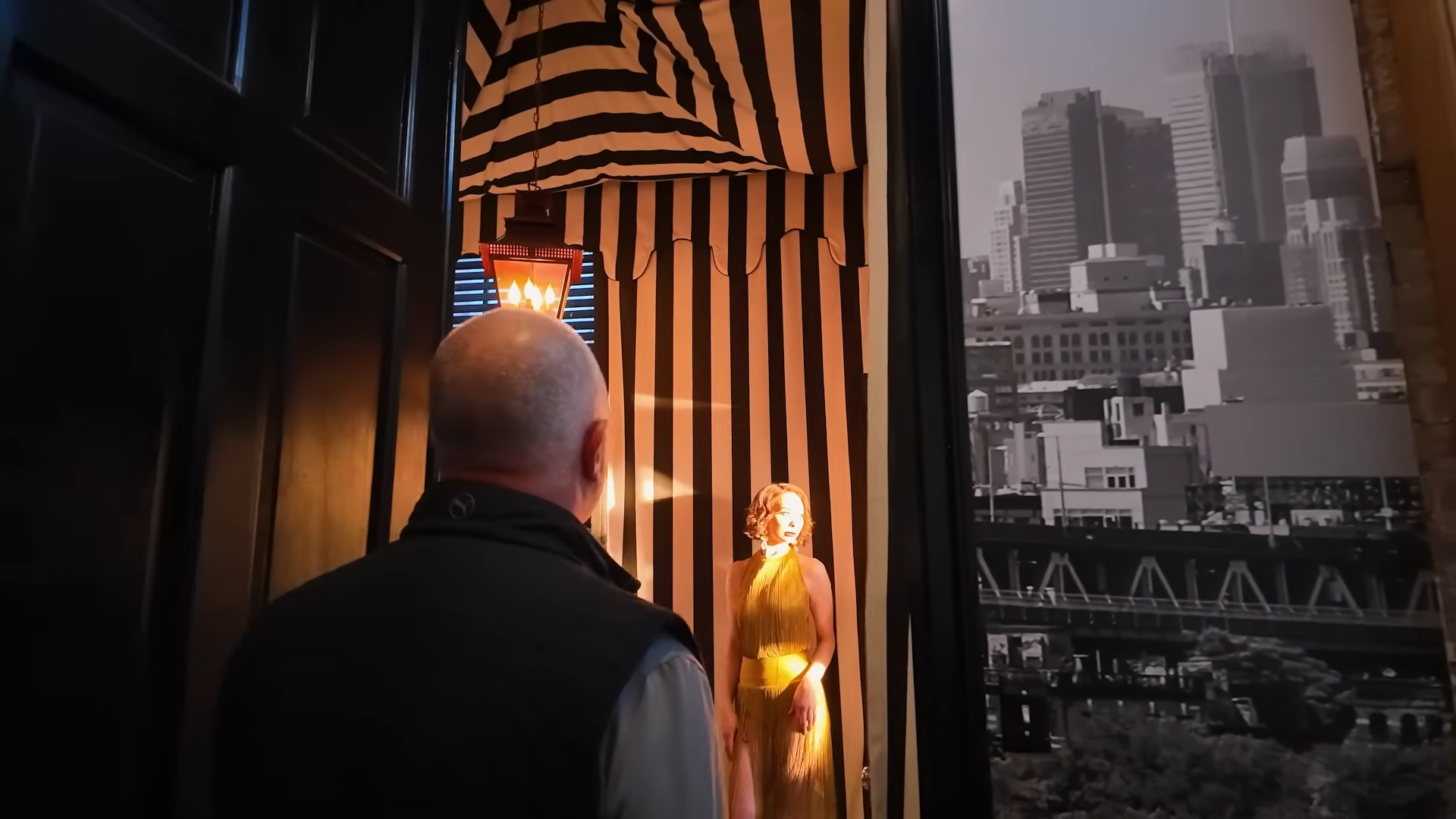
You don’t need a large or naturally bright location to create compelling portraits. In fact, a tight space can work in your favor if you control the light well.

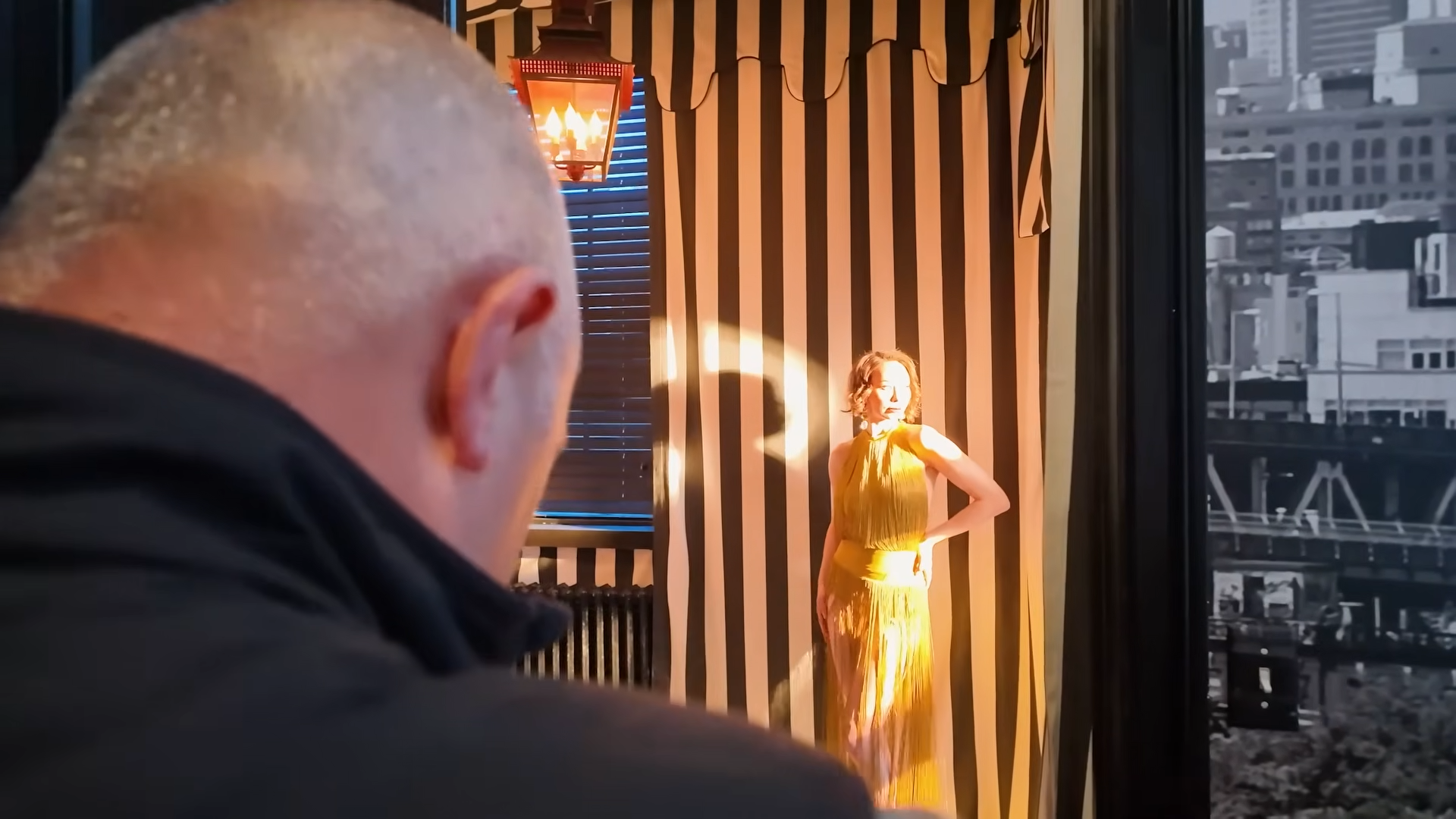
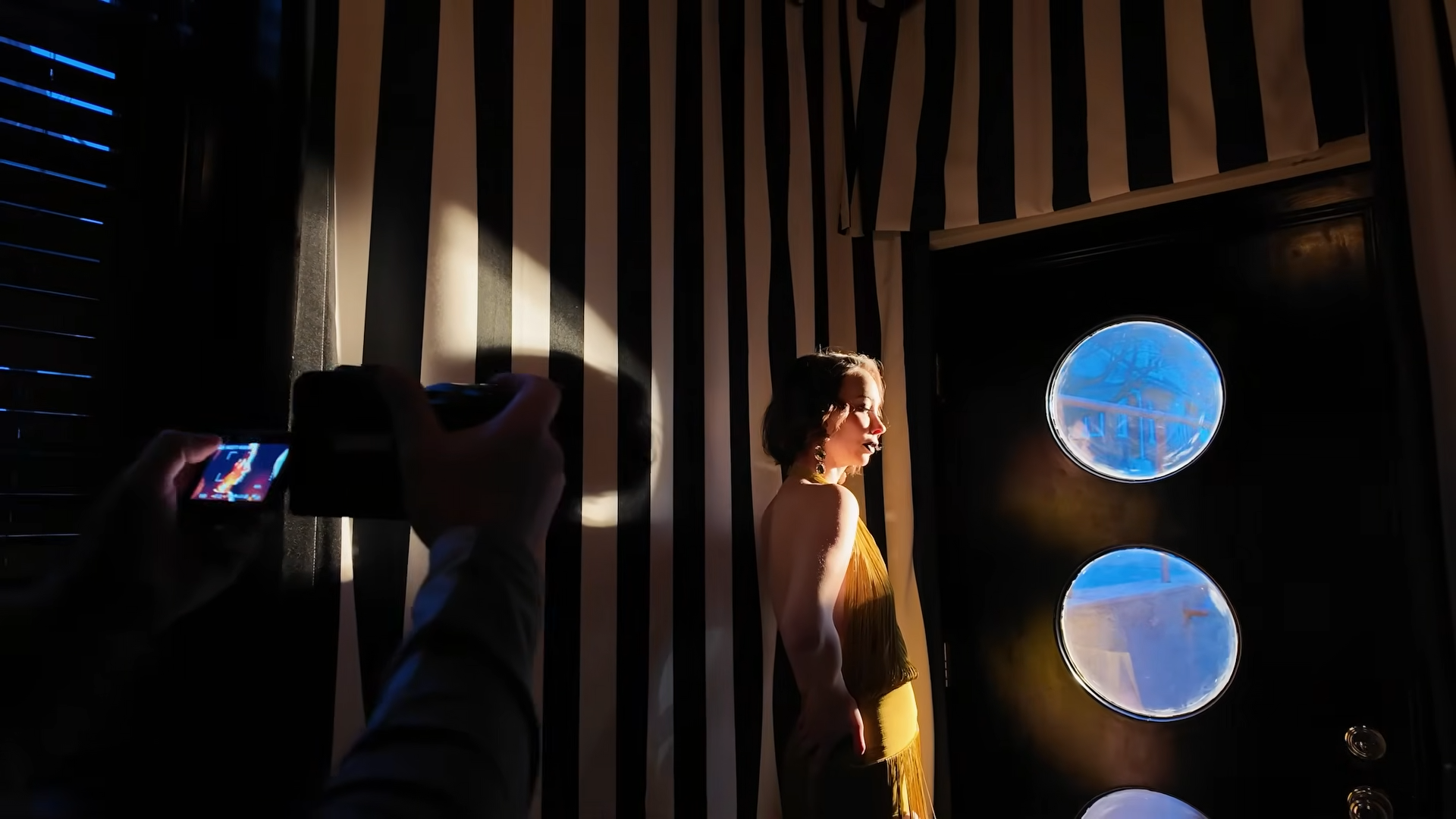
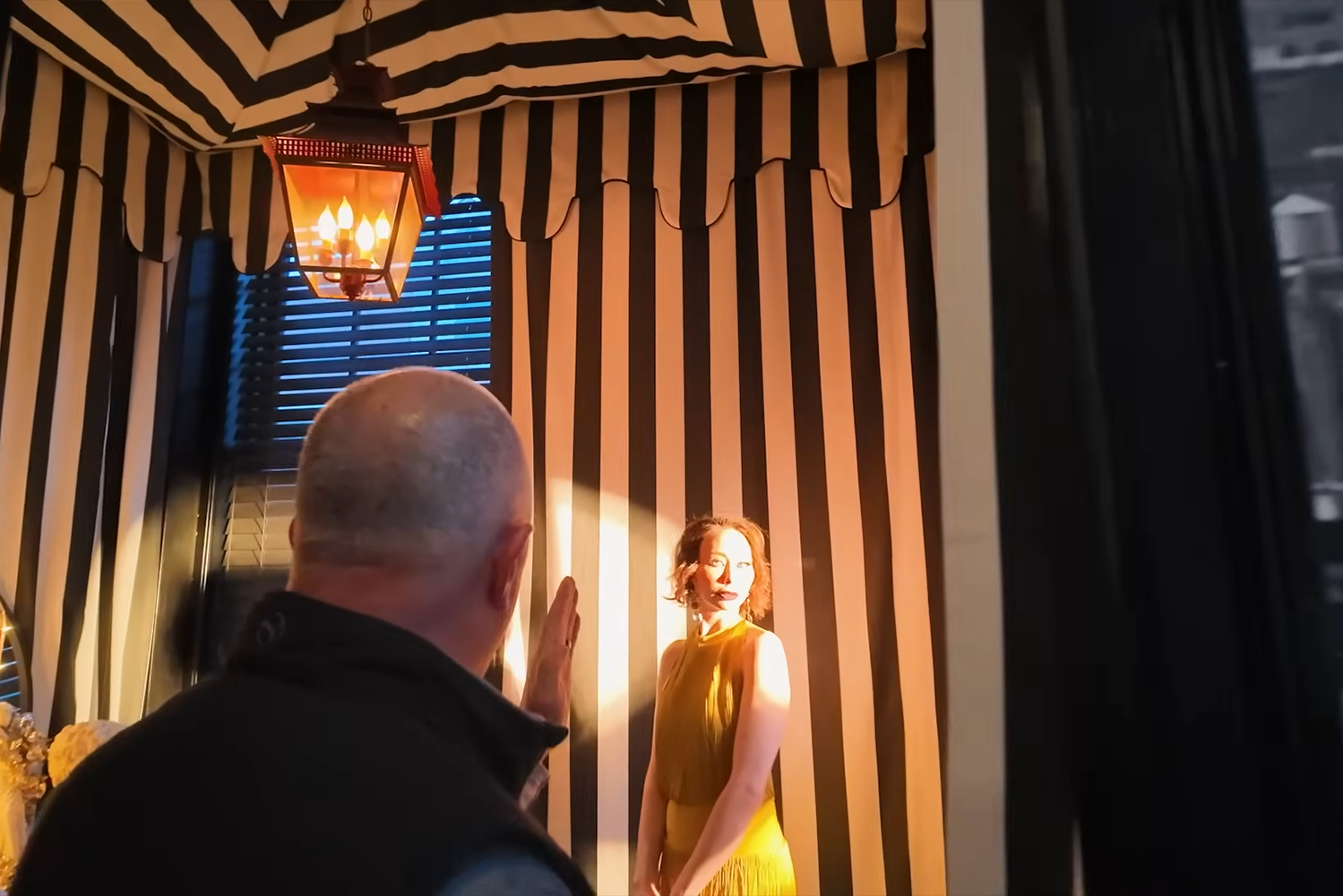
Start by identifying a single entry point for your light, a doorway, window, or any opening. This becomes your “sun.”

By directing your continuous light source through that opening, you instantly create:

  • Directional light (like a setting sun)
  • Natural-looking shadows

 • Depth and mood

Lighting Setup for a Golden Hour Effect

To replicate golden hour portraits with continuous light, your setup should focus on warmth and direction.

Key elements:

  • Light source: A continuous light (like an LED panel or monolight)
  • Color temperature: Around 2700K to mimic sunset tones
  • Modifier: A simple reflector or bare light for a harder, more directional beam
  • Positioning: Place the light outside your scene, aiming inward

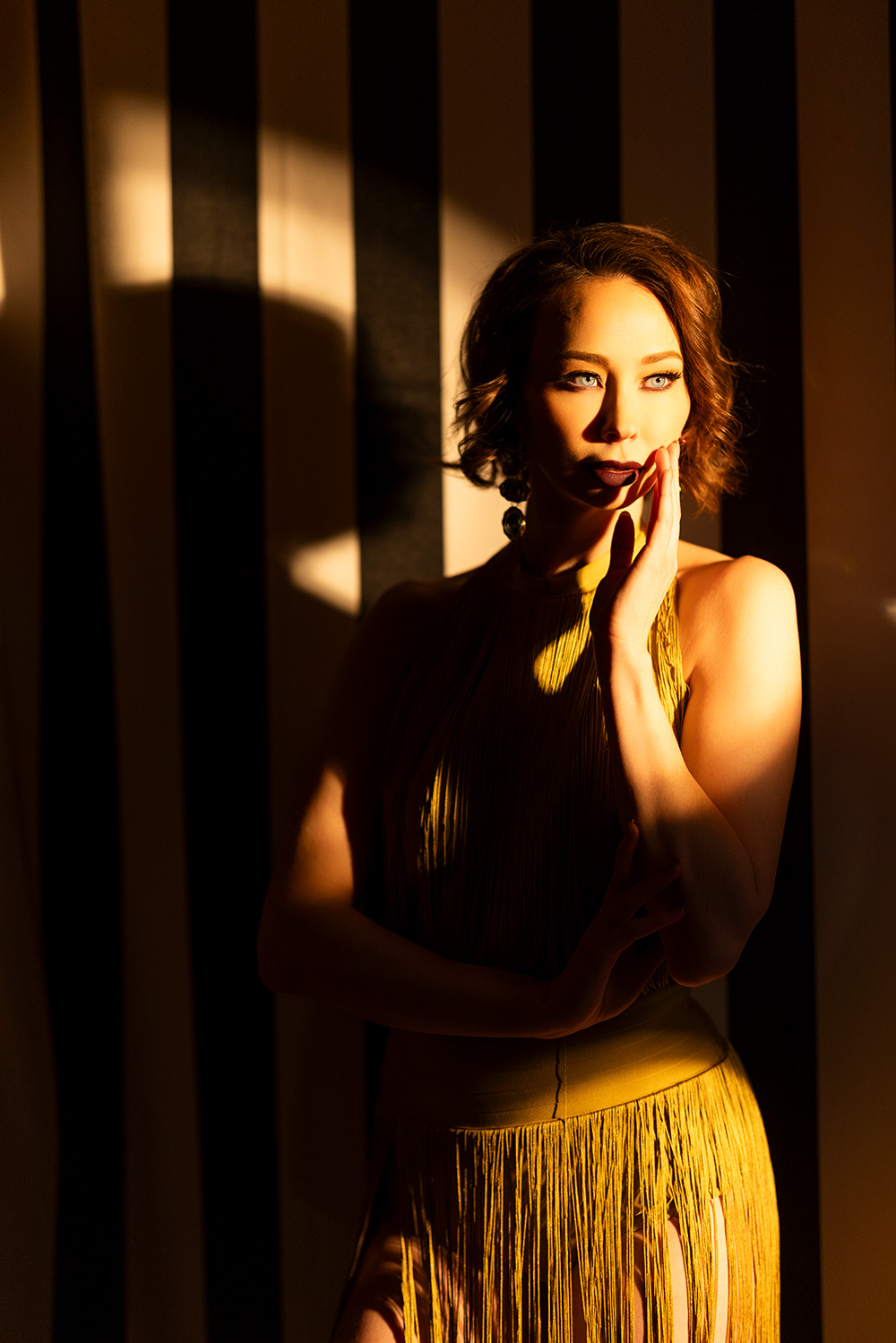
This creates that signature “light pouring in” effect you’d normally only get at sunset.

Pro tip: Keep your light at moderate power, you don’t need it overly bright. Golden hour light is soft but directional, not harsh.

   f/1.2 @ 1/250, ISO 250

Camera Settings for Warm, Natural Skin Tones

Here’s where many photographers go wrong: matching the camera’s white balance exactly to the light source.

Instead, intentionally offset your white balance.

  • Light temperature: ~2700K
  • Camera setting: ~4500K

This mismatch preserves warmth without pushing the image too orange. You’ll get a natural golden glow that still looks clean and professional.

You can always fine-tune in post, but starting with the right balance in-camera saves time and improves consistency.

Positioning Your Subject for the Best Light

Once your light is set, small adjustments in pose and angle make a huge difference.

Focus on:

  • Keeping the face angled toward the light source
  • Avoiding heavy shadows across key features (especially the nose and eyes)
  • Using subtle turns of the chin to control shadow depth

Even a slight shift can take you from flat lighting to dramatic, sculpted portraits.

Lens Choice and Depth

To enhance the golden hour look:

  • Use a wide aperture (like f/1.2–f/2) for shallow depth of field
  • Choose a portrait focal length (e.g., 85mm) for natural compression

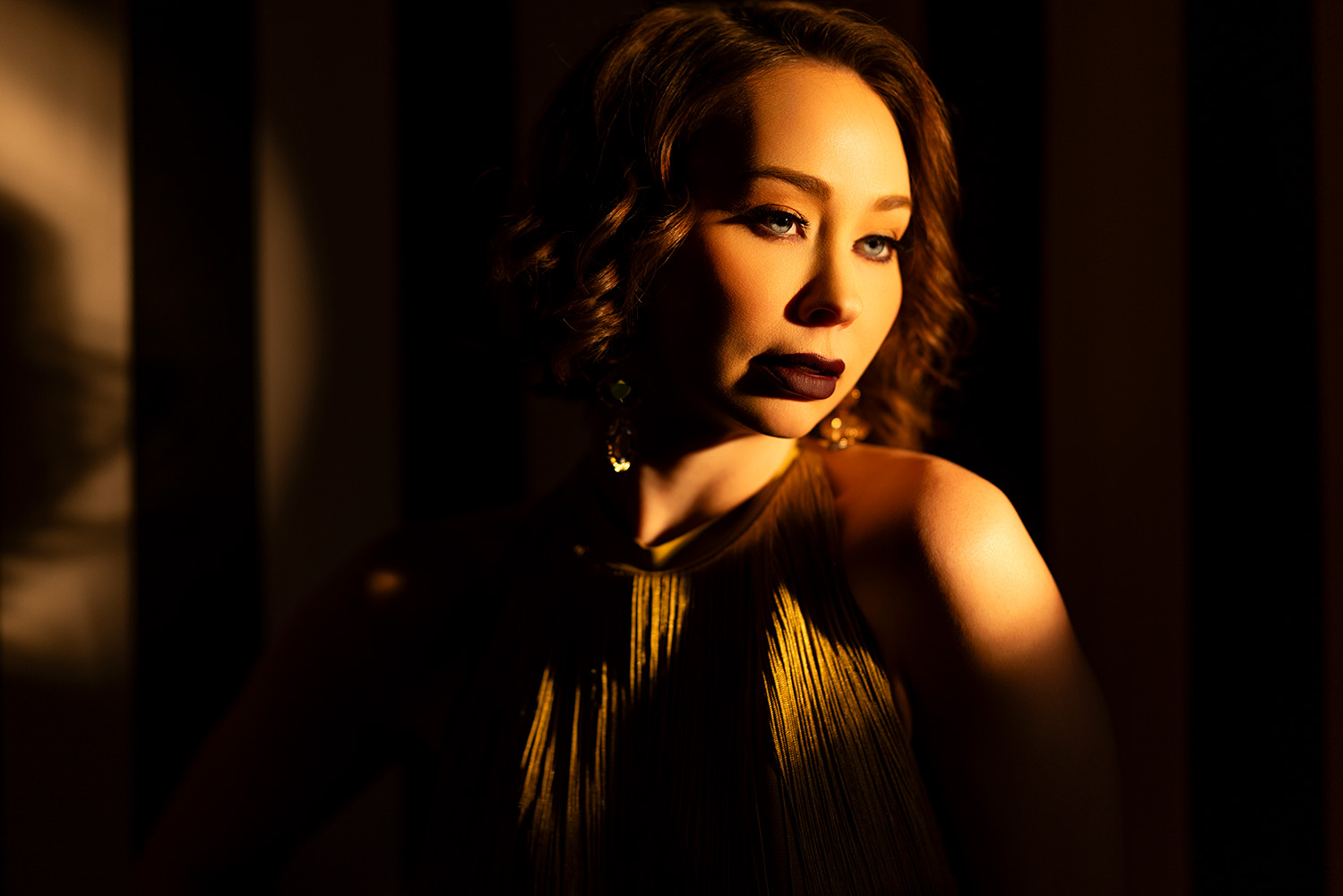
This combination isolates your subject and amplifies that dreamy, cinematic quality associated with golden hour portraits.

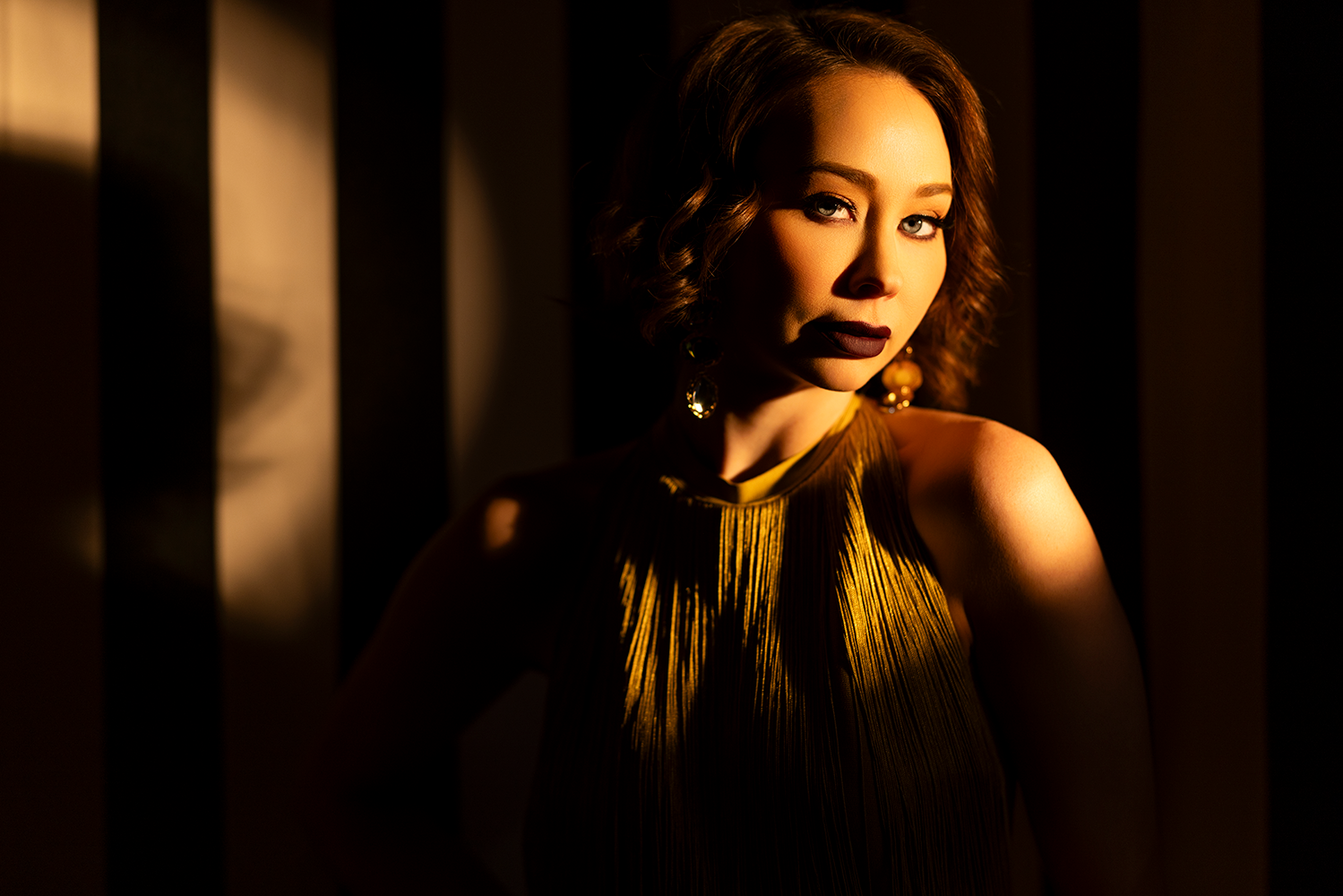
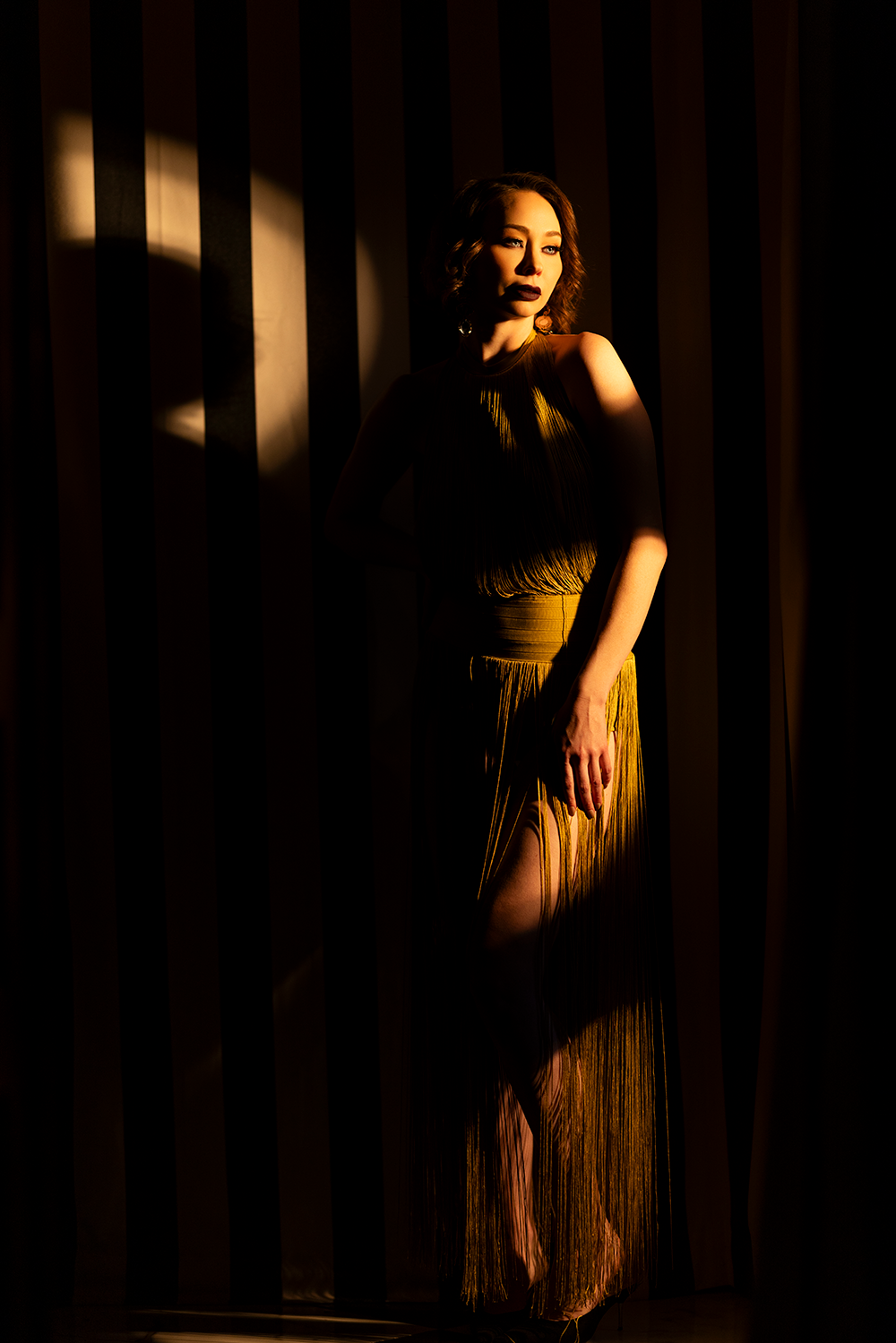
  f/1.2 @ 1/640, ISO 250                           f/1.2 @ 1/800, ISO 640                            f/1.2 @ 1/250, ISO 250

Final Result: Cinematic Light Anywhere

With just one continuous light, you can completely transform a dull indoor space into a scene that feels like it was shot at sunset.

The key is intentional control:

  • Warm color temperature
  • Directional placement
  • Thoughtful subject positioning

Master these elements, and you’ll be able to create golden hour portraits with continuous light anytime. No sunset required.

Key Takeaways

  • Continuous light gives you real-time control over your lighting
  • Use ~2700K lighting to simulate golden hour warmth
  • Set your camera to a higher Kelvin (around 4500K) for a natural glow
  • Direction matters more than intensity

Small spaces can produce big, cinematic results

  f/1.2 @ 1/640, ISO 250   

Leave a Reply

Want more content like this?

Check out our recent posts