
Portrait Lighting with a Projector: Cinematic Lighting Techniques

Share

Portrait Lighting With a Projector: Creating Controlled, Cinematic Light on Location

Portrait lighting is often associated with softboxes, umbrellas, or natural window light. But once you start thinking more intentionally about shaping light, tools like a projector open up a much more controlled and creative approach. In this setup, we’re using a Nanlite projector system paired with a bi-color light source to demonstrate how precise portrait lighting can completely transform a simple scene.

This isn’t about gear for gear’s sake. It’s about using a projector to take control of your light, your background, and the mood of your portrait.

Why Use a Projector for Portrait Lighting

On location, it’s easy to rely on natural light because it feels simple and “good enough.” And in many cases, it is. A quick natural light portrait can look clean and pleasing. But it also comes with limitations: uncontrolled highlights, flat backgrounds, and very little separation between subject and environment.

That’s where a projector changes the game for portrait lighting.

Instead of flooding a scene with light, a projection attachment lets you:

  • Control the size and shape of the light beam
  • Direct light exactly where you want it
  • Add separation between subject and background
  • Create intentional mood and contrast

This level of control is what moves an image from casual snapshot to cinematic portrait.

Key Light With Controlled Portrait Lighting

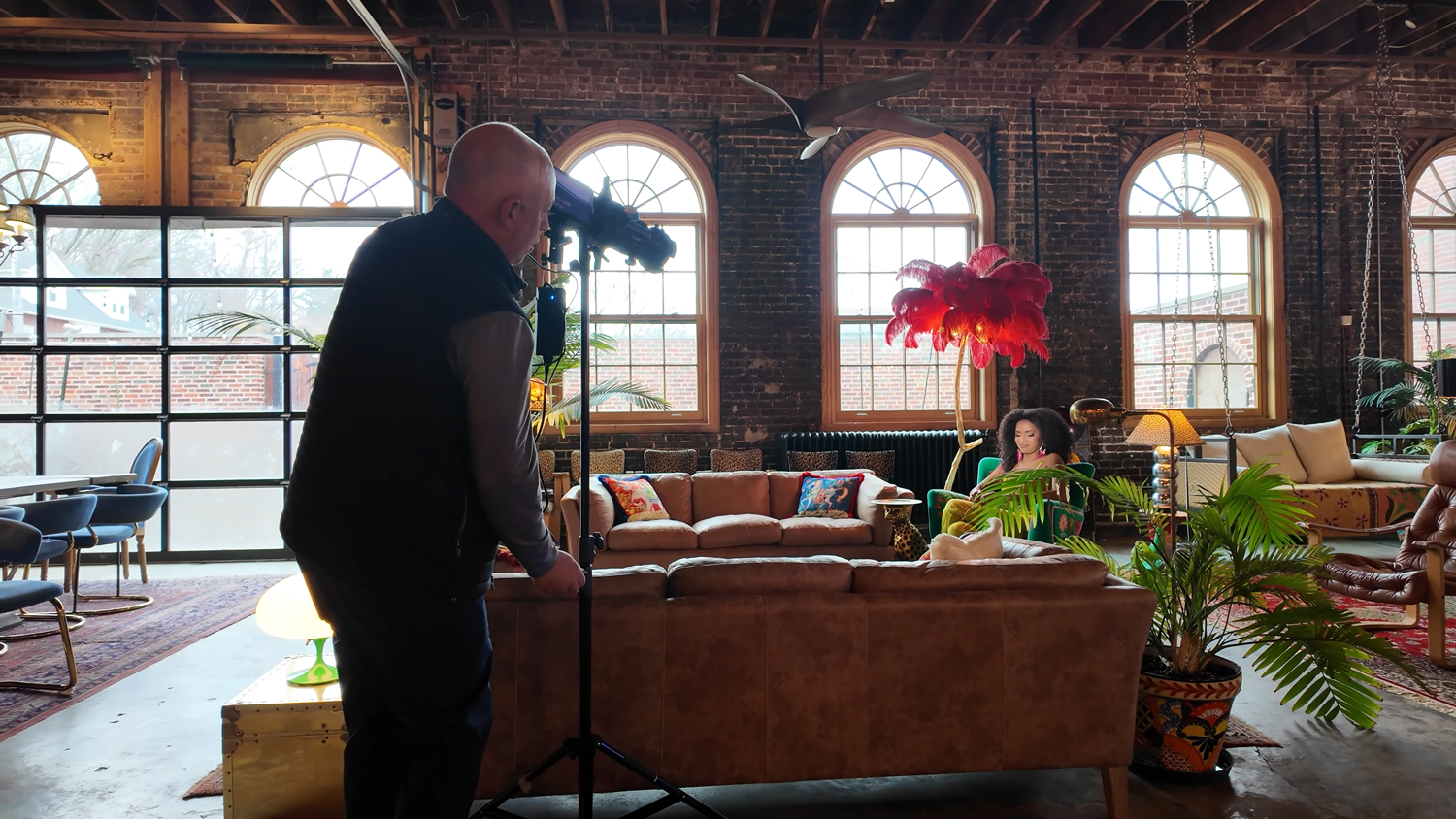
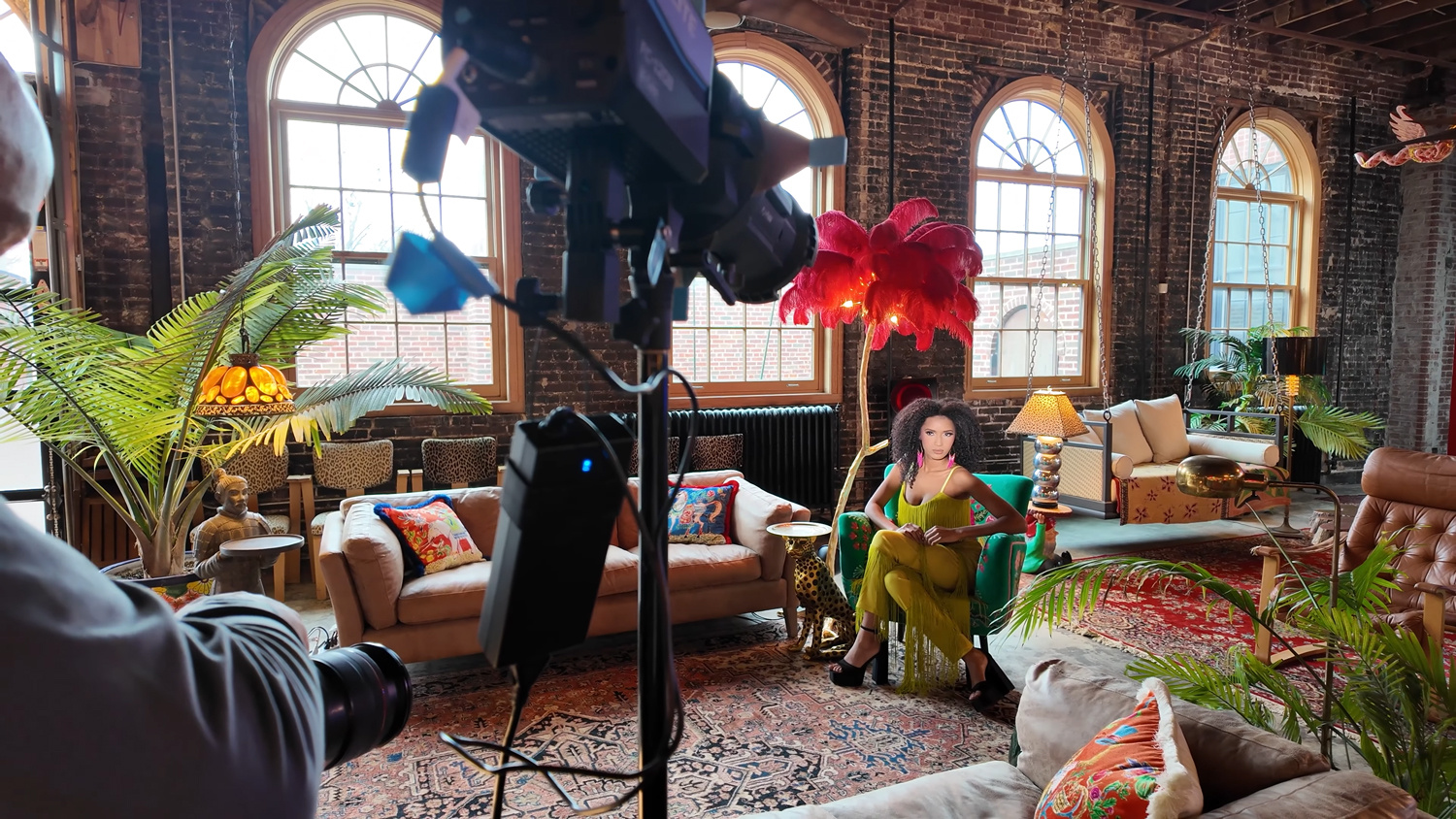
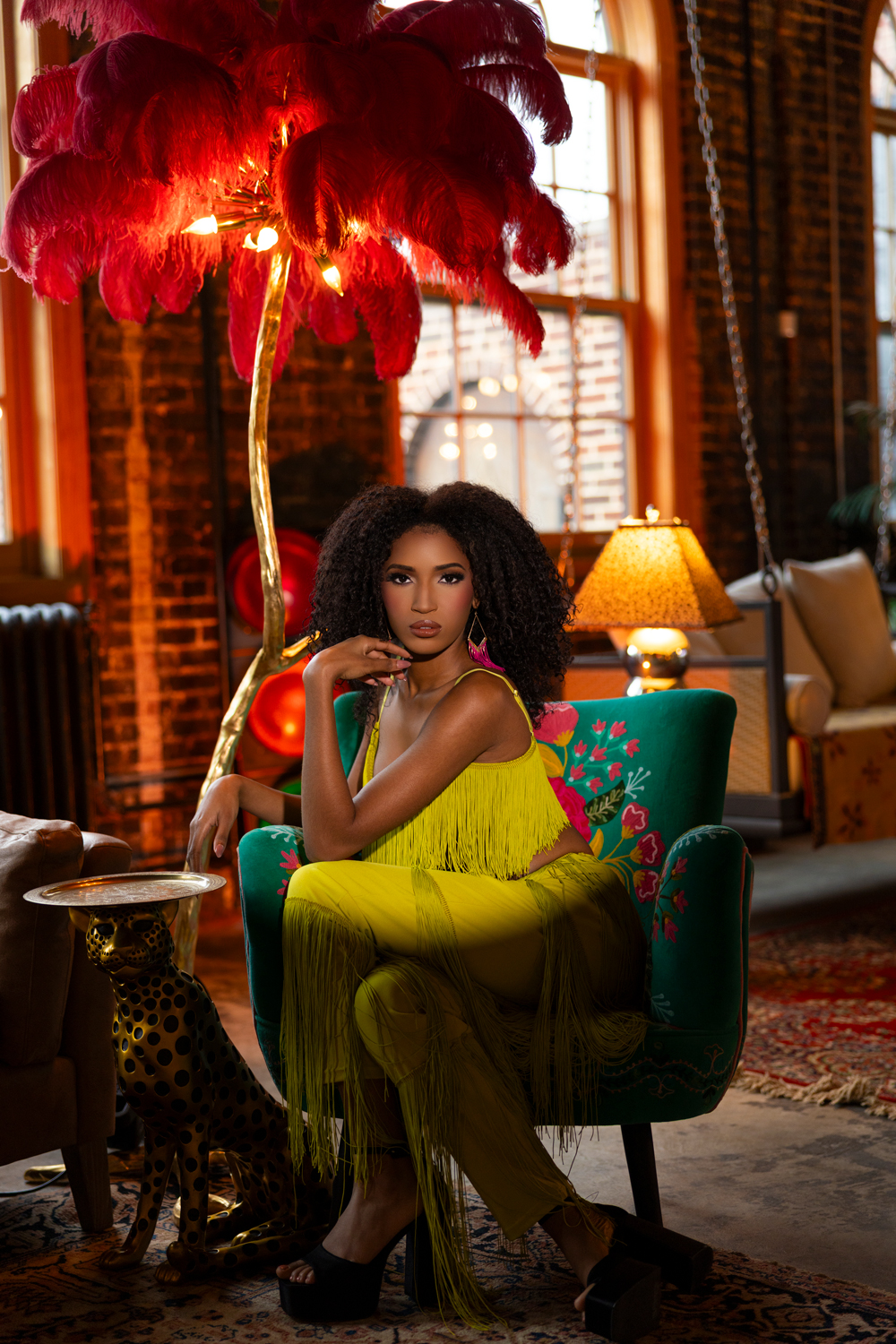
In this setup, the key light comes from a Nanlite FC-120B paired with a projection attachment. The key advantage here is not power, but precision.

We’re working in Kelvin (around 5500K for a neutral daylight balance) and using very low power output. Even at a low intensity, the projection attachment allows the light to be shaped tightly onto the subject.

Two controls matter most here:

Beam size adjustment
This allows you to widen or narrow the spread of light. For portrait illumination, this means you can isolate just the face or include part of the upper body without spilling everywhere.

Focus adjustment
By moving the focus forward or backward, you can soften or sharpen the edge of the light. A sharper edge feels graphic and dramatic. A softer edge feels more natural and blended into the scene.

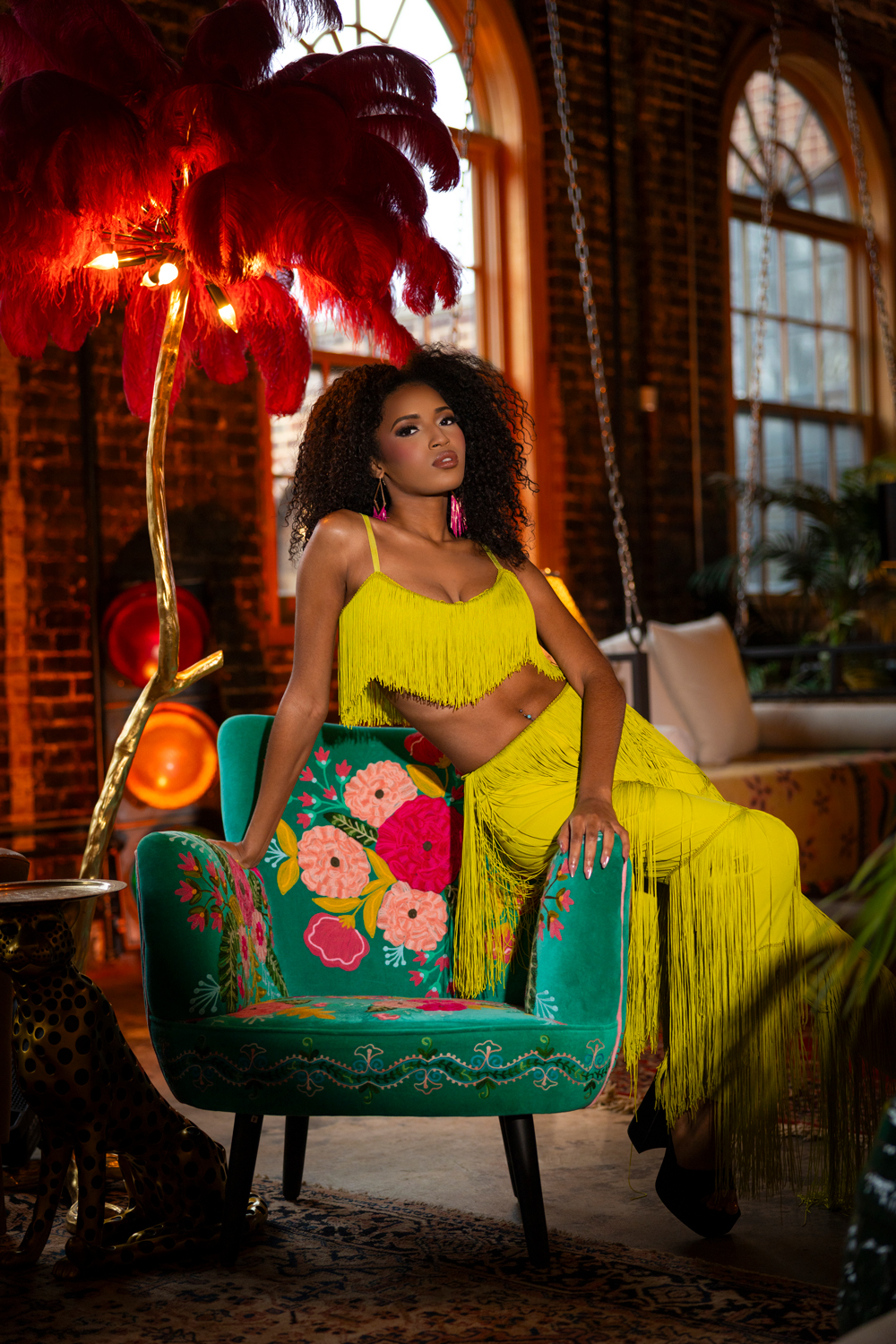
For this portrait, the goal is not a hard-edged gobo pattern. It’s a soft, controlled wash of light shaping the face and upper body while keeping the background from overpowering the subject.

Why Natural Light Isn’t Always Enough

A natural light portrait in this environment would still look fine. But it comes with tradeoffs:

  • Bright background highlights get blown out
  • The subject blends into the environment
  • There is little separation or depth
  • Lighting direction is dictated by the environment, not the photographer

By contrast, intentional portrait illumination with a projection attachment lets you decide exactly how the viewer’s eye moves through the frame.

Even a small adjustment, like underexposing the background by one stop, instantly adds depth and focus to the subject.

Adding Depth With a Second Light Source

Once the key light is established, the next step in stronger portrait lighting is layering.

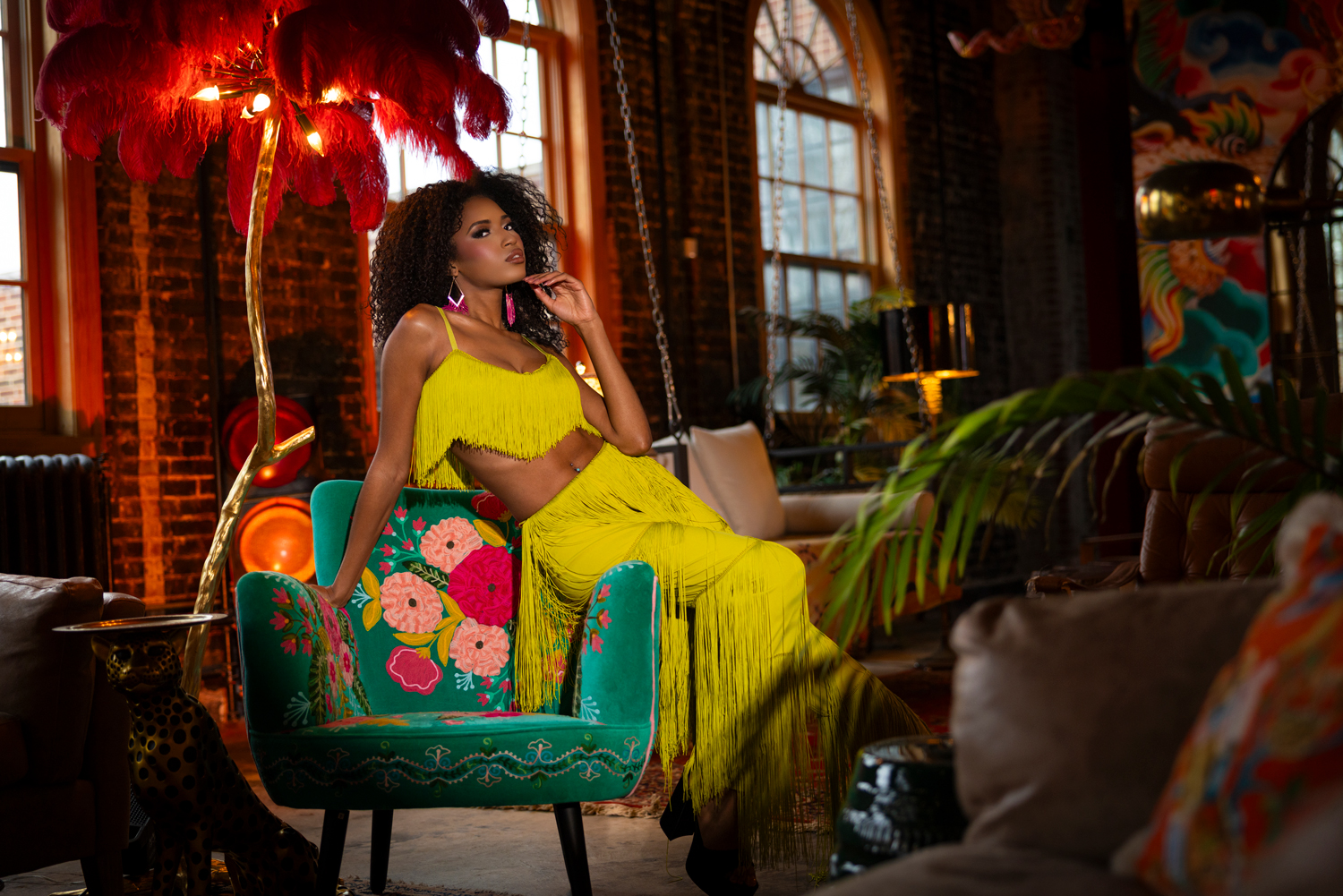
A second Nanlite source (such as a 300C) is introduced in the background, set to a warm color temperature around 2700K. This creates a subtle color contrast between the cool neutral subject light and the warm background glow.

This is where the image starts to feel more cinematic:

  • Subject is shaped by controlled front light
  • Background is warmed for separation
  • Depth is created through color contrast
  • The scene feels intentional instead of accidental

Even small changes in background lighting can dramatically affect the emotional tone of a portrait.

f/2.0 @ 1/200, ISO 400

Refining the Look: Falloff and Framing

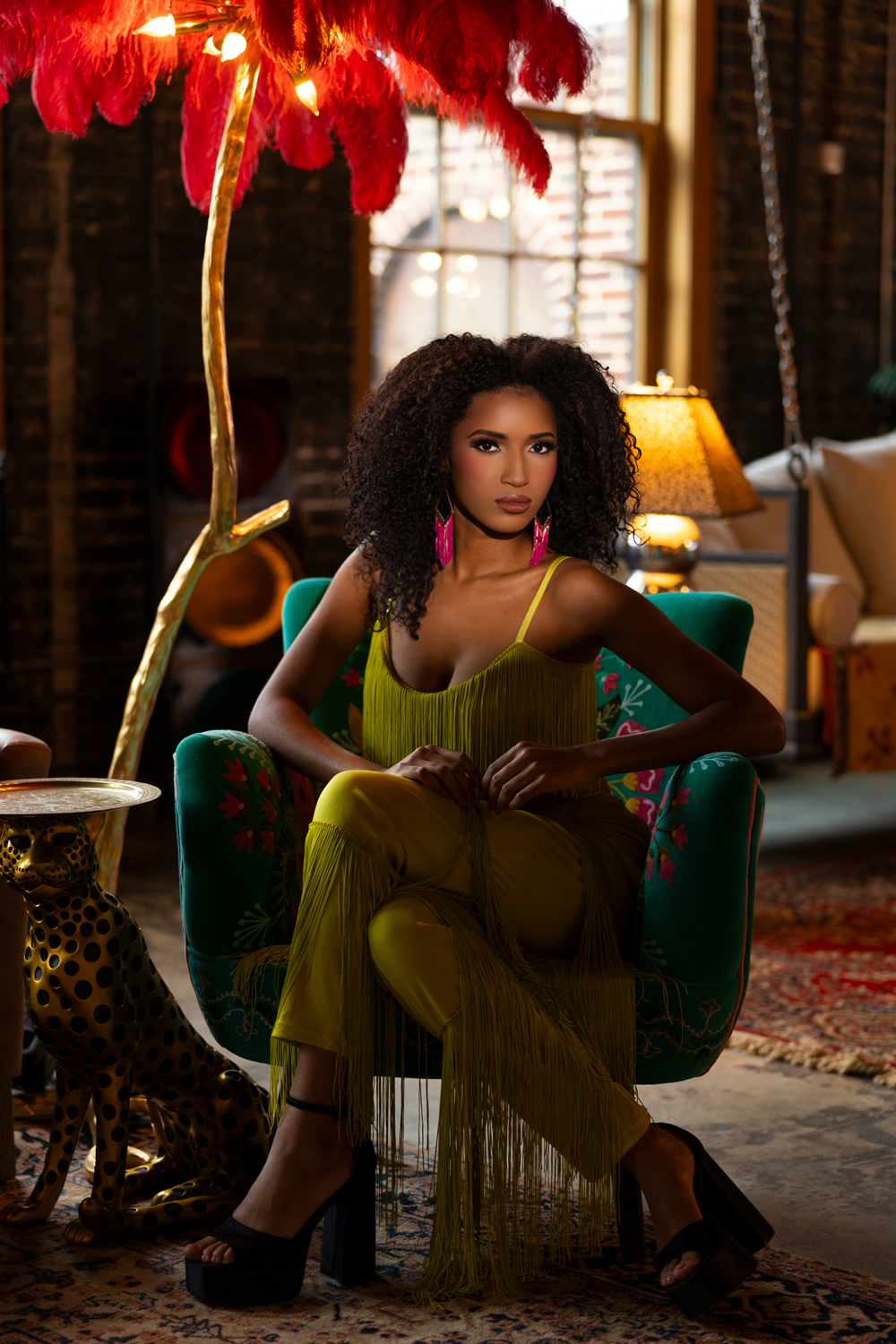
One of the advantages of projection-based portrait illumination is falloff control. You can decide exactly where the light stops.

A tighter beam creates:

  • More dramatic falloff across the body
  • Stronger focus on the face
  • A more editorial or fashion-style feel

A wider beam creates:

  • Softer transitions
  • More environmental context
  • A more natural portrait look

In this case, a bit of hard falloff is actually desirable because it adds shape and direction to the portrait rather than evenly lighting everything.

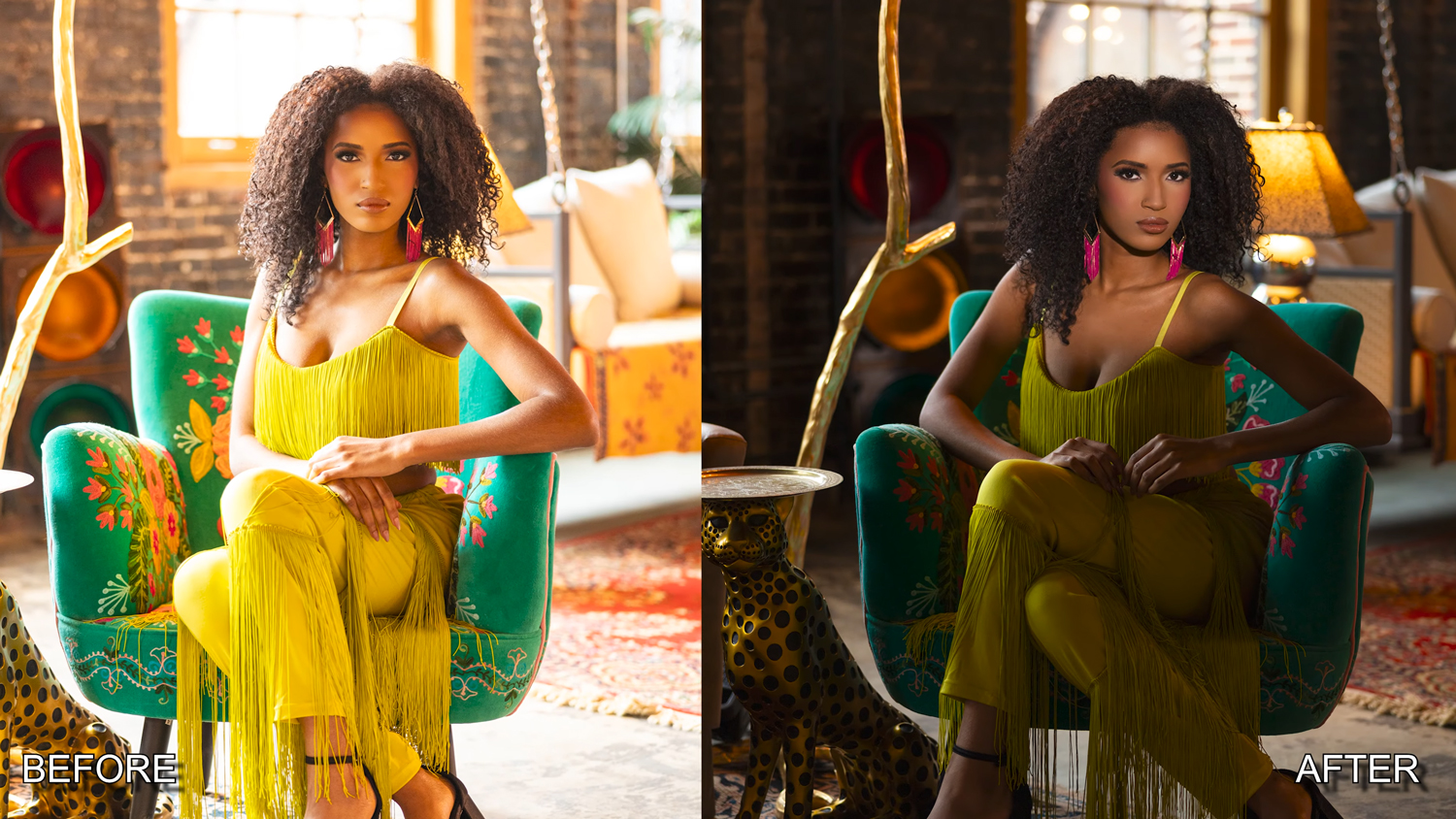
  f/1.2 @ 1/800, ISO 400                                                         f/2.00 @ 1/200, ISO 400

Tight Portraits and Final Adjustments

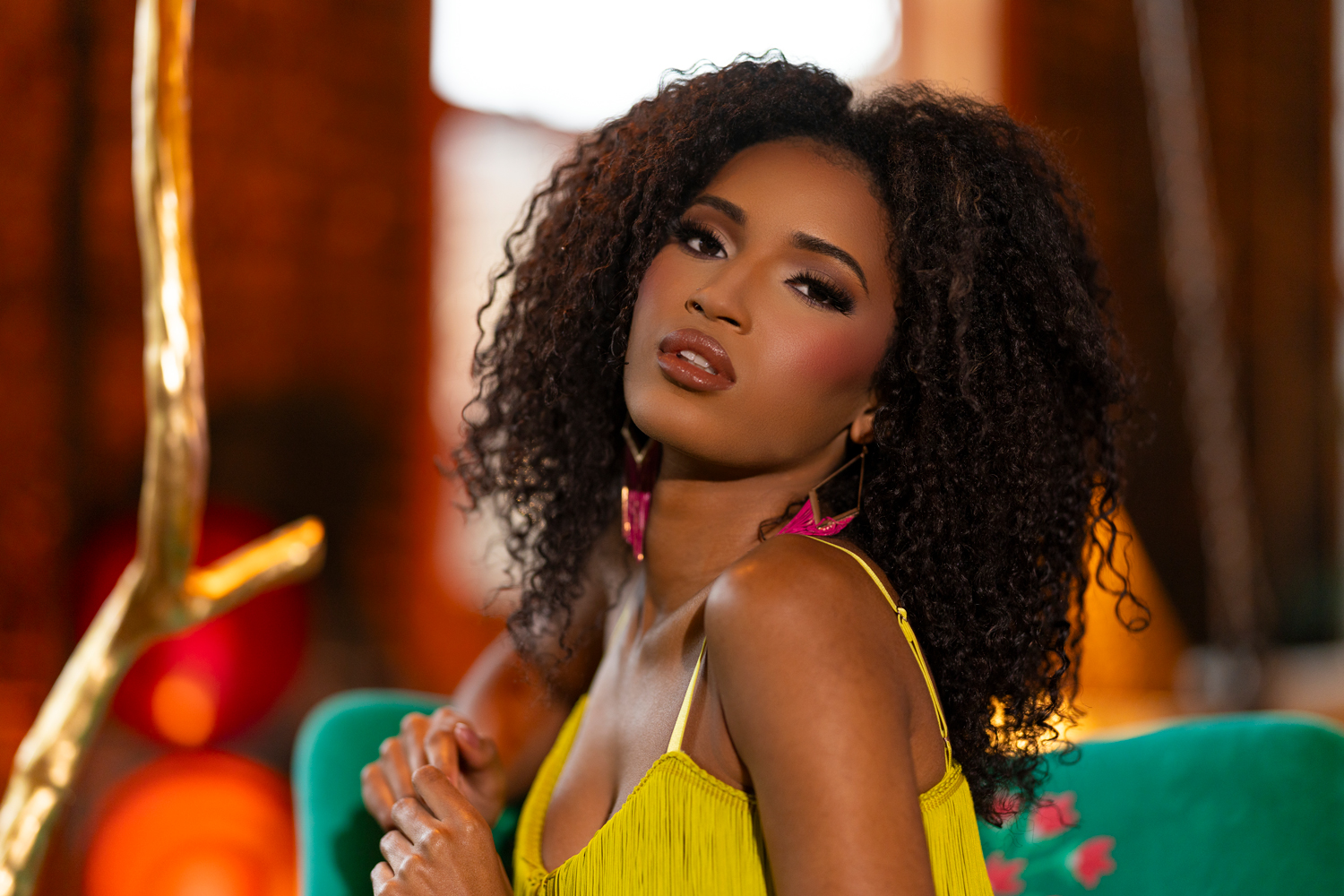
Moving into tighter framing with an 85mm lens at a wide aperture (such as f/1.2) further enhances the separation created by the portrait illumination setup.

At this stage, small adjustments to beam width and positioning become critical. The goal is to keep light consistent on the face while maintaining that controlled “spotlight” effect.

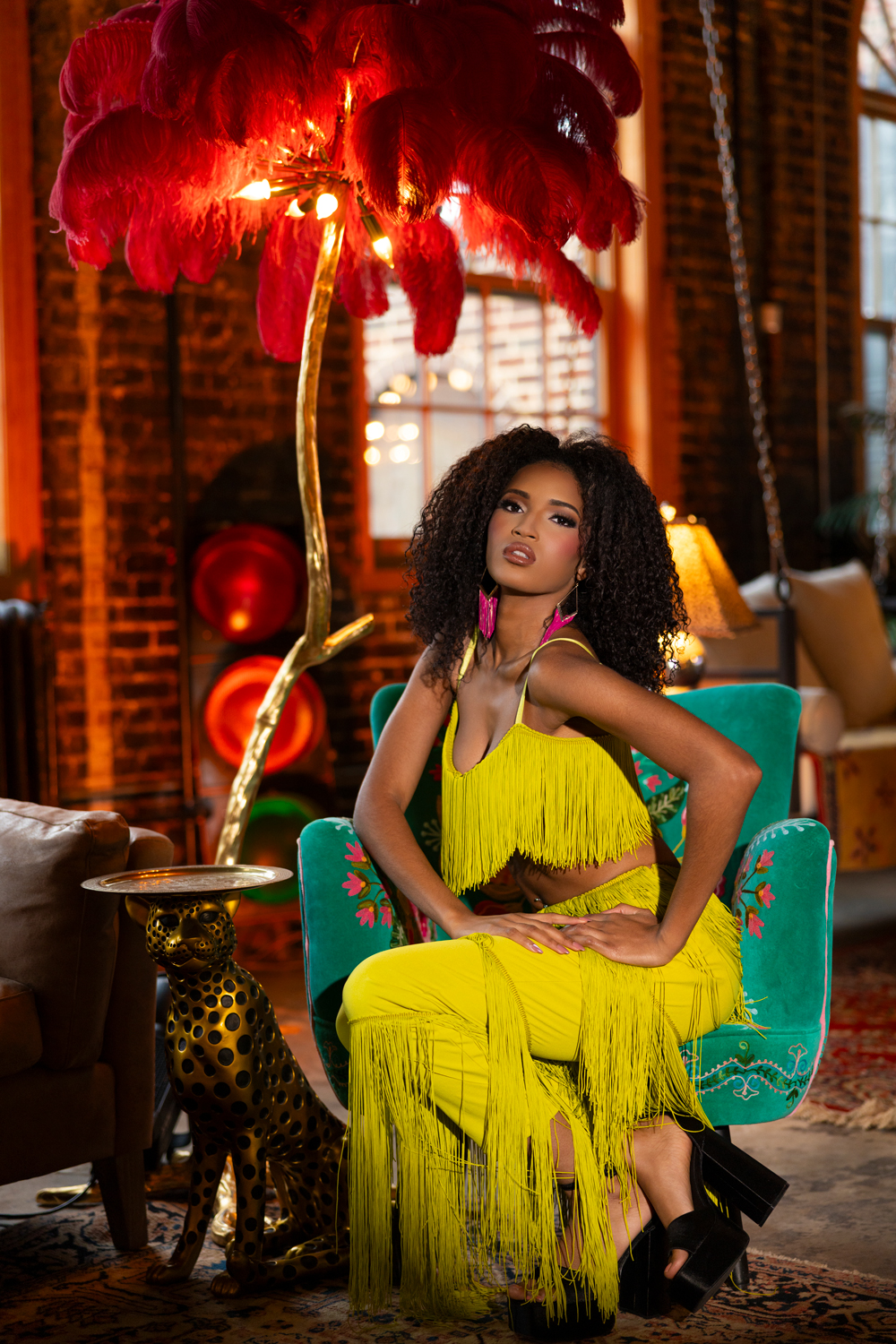
This combination of:

  • Projected key light
  • Warm background accent
  • Wide aperture lensing

results in portraits that feel dimensional, intentional, and cinematic.

f/2.0 @ 1/200, ISO 400

Final Thoughts on Projector Portrait Lighting

Using a projection attachment for portrait lighting isn’t about replacing traditional modifiers. It’s about expanding control.

Where softboxes give you softness, a projector gives you precision. And when you combine that precision with thoughtful background lighting and exposure control, you can turn even a simple location into a fully shaped visual environment.

For photographers looking to move beyond flat natural light portraits, a projector setup offers a powerful way to build light instead of just using what’s already there.

f/2.0 @ 1/200, ISO 400

Leave a Reply

Want more content like this?

Check out our recent posts